Posts

Showing posts with the label Power Shell

Check and clean missing features / objects from the content database

Run command -    test-spcontentdabase , this will provide list of issues. Use this command before migration. Use  http://featureadmin.codeplex.com/  tool useful for removing missing Features and cleaning up the environment. 

Get entire SharePoint farm webs inventory

function Get-DocInventory() {     [void][System.Reflection.Assembly]::LoadWithPartialName("Microsoft.SharePoint")     $farm = [Microsoft.SharePoint.Administration.SPFarm]::Local     foreach ($spService in $farm.Services) {         if (!($spService -is [Microsoft.SharePoint.Administration.SPWebService])) {             continue;         }         foreach ($webApp in $spService.WebApplications) {             if ($webApp -is [Microsoft.SharePoint.Administration.SPAdministrationWebApplication]) { continue }             foreach ($site in $webApp.Sites) {                 foreach ($web ...

SharePoint 2010 Disable List Throttling and Enable Version on Generic Lists

Open SharePoint 2010 Power Shell and run following script: $siteURL = "http://siteurl" $site = Get-SPSite($siteURL) foreach($web in $site.AllWebs) {  Write-Host "Inspecting " $web.Title  foreach ($list in $web.Lists) {  if($list.BaseType -eq "GenericList") {  Write-Host $list.Title "Versioning enabled: " $list.EnableVersioning $list.EnableThrottling  $host.UI.WriteLine()  $list.EnableVersioning = $true  $list.EnableThrottling = $False  $list.Update()  Write-Host $list.Title "Versioning enabled: " $list.EnableVersioning $list.EnableThrottling  $host.UI.WriteLine()  }  } } ============================================================== $web = Get-SPWeb -Identity  http://site $web.AllowUnsafeUpdates = $true $list = $web.Lists["ListName"] $list.EnableThrottling = $false $list.Update() $web.AllowUnsafeUpdates = $false $list.EnableThrottling $web.Update() $web.Dispose()

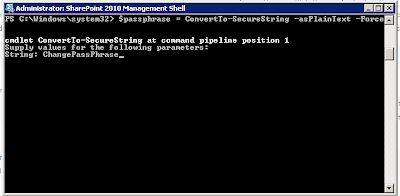
Get the passphrase in SharePoint 2010

Image
Run following commands in SharePoint Power Shell: $passphrase = ConvertTo-SecureString -asPlainText -Force Set-SPPassPhrase -PassPhrase $passphrase -Confirm

SharePoint Power Shell : Remove/Delete users from User Information List

Script: $url = "http://sitecollection" $web = get-spweb $url $list = $web.Lists["User Information List"] $listItems = $list.Items $listItemsTotal = $listItems.Count for ($x=$listItemsTotal-1;$x -ge 0; $x–-) { Write-Host(“DELETED: ” + $listItems[$x].name) remove-spuser $listItems[$x]["Account"] -web $url -confirm:$false } $web.dispose() Url: http://[localhost]/_catalogs/users/simple.aspx)

How to change SharePoint My Site Host Url using Power Shell

$AnySiteCollectionUrl = "http://SPSite/" $site = Get-SPSite $AnySiteCollectionUrl $context = Get-SPServiceContext($site) $pm = new-object Microsoft.Office.Server.UserProfiles.UserProfileManager($context) Write-Host "previous My Site Host Url: " $pm.MySiteHostUrl -ForegroundColor Yellow; $pm.MySiteHostUrl = "" $pm.MySiteHostUrl = "http://mysiteurl/" Write-Host "new My Site Host Url: " $pm.MySiteHostUrl -ForegroundColor Yellow; $site.Dispose()

UserName showing up as DomainName\UserName instead of Full Name in SharePoint 2010

UserName showing up as DomainName\UserName instead of Full/Display Name in SharePoint 2010 Solution 1 :  Set-SPUser -Identity ‘SharkHeads\Mukesh’ -DisplayName ‘Mukesh Parmar’ –Web http://SharePointServer Get-SPUser –Web http://SharePointServer | Set-SPUser –SyncFromAD FOR ALL USERS :  Get-SPUser –Web  http://SharePointServer  | Set-SPUser –SyncFromAD Solution 2 :  1. Opened Central Administration on SharePoint 2010, logged in as the Administrator. 2. Clicked into "Application Management," then "Manage Service Applications." 3. Scrolled down to "User Profile Service Application," and clicked to open that. 4. Clicked "Manage User Profiles" under the main People heading. 5. Searched for the account I was looking for - "adelaide" - and made the changes so her correct first name, last name, and full name were showing. 6. Saved - and now I'm hoping for the best. With SharePoint 2007 it took up to 30 minutes...